Email assistant
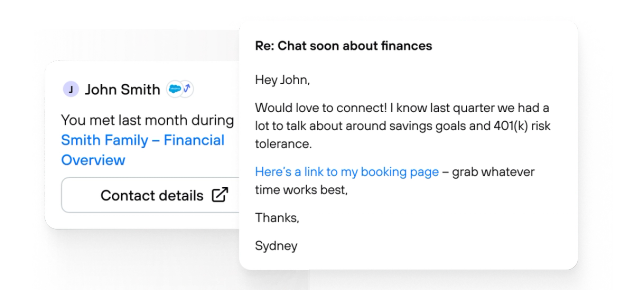
Every email, written in your voice — with the context to back it up.
Jump's email assistant drafts client emails that sound like you wrote them — because it learned how you write. It pulls from your CRM, meetings, financial plans, and more to craft replies with real substance, not generic filler. Works right inside Microsoft Outlook and Gmail so you never leave your inbox.
Trusted by over 31,000+ advisors at top firms.














Feature Overview
One click to a client-ready email – grounded in everything you know.
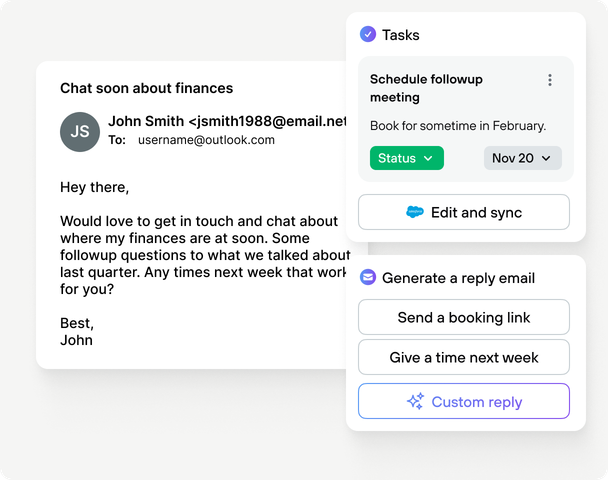
Jump reads the email thread, identifies the client, pulls in meeting notes, CRM data, and financial context, then generates a personalized draft in your tone. Review it, tweak it if you want, and send. That's it.
Writes in your voice automatically
Jump learns your tone, style, and phrasing from your existing emails — no setup required. Every draft sounds like you, not a chatbot. Whether you're formal with estate planning clients or casual with long-time relationships, Jump adapts.
Context from every system you use
Unlike built-in tools like Google Gemini or Microsoft Copilot, Jump connects to your CRM, financial planning software, portfolio accounting, custody, tax planning, and meeting history. That means drafts reference real data — the portfolio review you had last Tuesday, the Roth conversion you discussed, the task you assigned.
One-click drafts, right in your inbox
Open an email and Jump's side panel instantly shows a contextual draft reply. One click to load it into Outlook's compose window. Edit as much or as little as you want — and clear hours from your week.
Ask anything without leaving Outlook
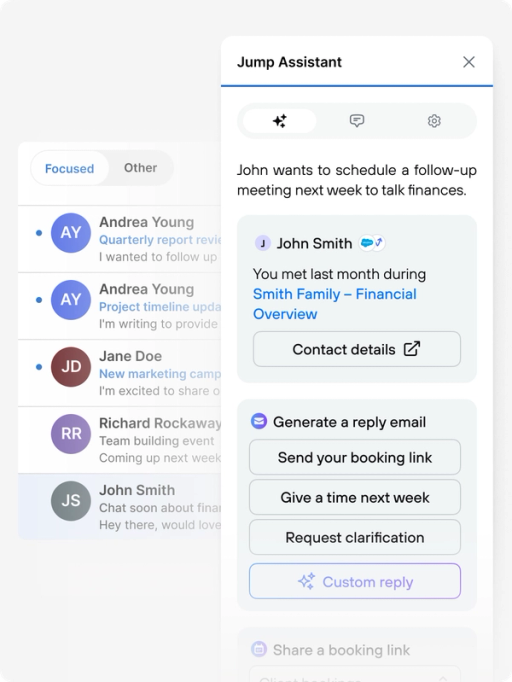
Need to check what you discussed in the last meeting? Want to know if a client has outstanding tasks? Jump's full assistant is embedded right in the Outlook panel. Get answers, pull up context, or ask it to refine the draft — all without switching tabs.
Stop copying and pasting between six tabs just to reply to a client.
Advisors jump between inbox, CRM, planning tools, and meeting notes just to gather the context for a single email. Jump drafts the email using context from past conversations and your systems. You review and send so replies are faster and you stay in flow.
Post-meeting follow-ups in seconds
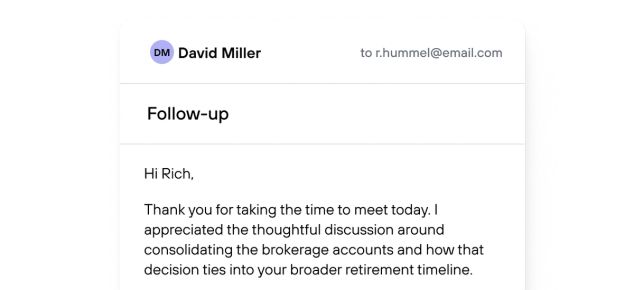
After a client meeting, Jump automatically drafts a follow-up email with the key discussion points, action items, and next steps pulled directly from the transcript. No more spending 15 minutes reconstructing what you talked about — just review, personalize, and send.
Every client's full picture, the moment you need it
Open an email in Outlook and Jump instantly surfaces who this client is — their CRM record, recent meetings, open tasks, portfolio details, and planning notes. No searching, no tab-switching. You have the context to respond thoughtfully before you type a single word.