Follow-Up Emails & Tasks
Every meeting ends with clear next steps.
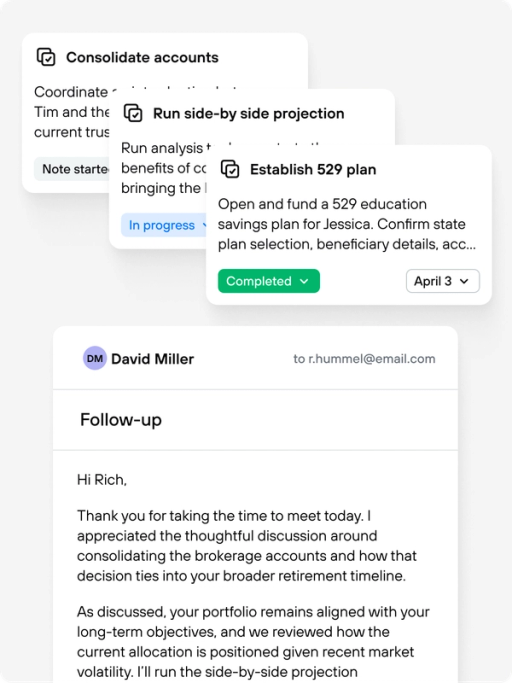
Jump automatically drafts personalized follow-up emails and extracts actionable tasks the moment your meeting wraps. Emails are written in your voice and ready to send. Tasks are structured to match your CRM fields and sync directly into your workflow — no retyping, no copy-pasting, no falling behind.
Trusted by over 50,000+ advisors at top firms.













Feature Overview
Post-meeting follow-through, handled before you leave the room.
After every client meeting, Jump generates a ready-to-send recap email and a structured set of follow-up tasks — both customized to how you actually work. Review, edit, and send the email seamlessly. Assign tasks, set due dates, and sync everything to your CRM without switching tabs.
Recap Emails in Your Voice
Jump drafts a client-facing email that sounds like you wrote it — because you shaped the template. Set the tone, structure, and level of detail once, and every recap reflects your communication style.
Smart Task Extraction
Jump listens for commitments, deadlines, and next steps discussed during your meeting, then generates tasks with the right title, description, assignee, and due date.
CRM-Ready Fields
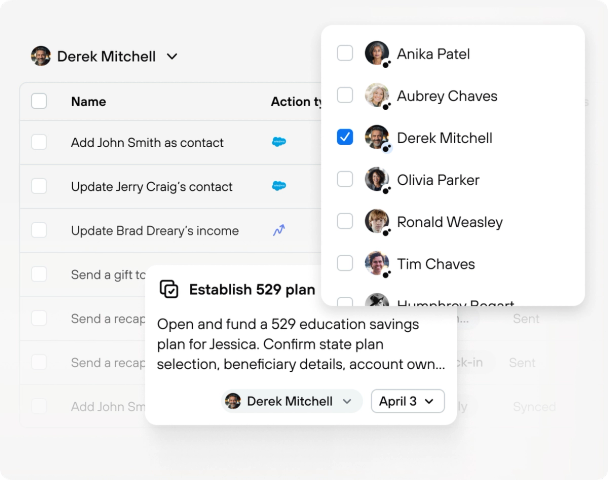
Tasks are built to match the fields your CRM expects. Whether you use Salesforce, Redtail, Wealthbox, Advyzon, or others. Jump maps task data — including priority, category, and status — so syncing is a one-click operation, not a data entry project.
Fully Customizable Output
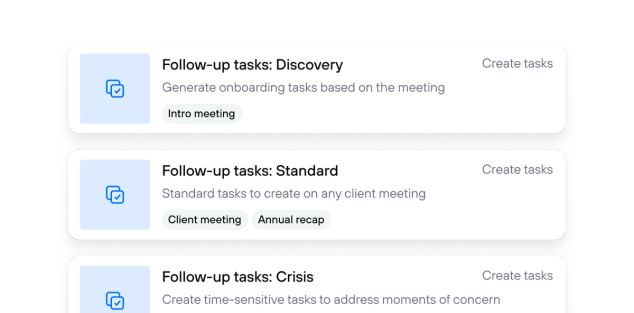
Every advisor works differently. Customize how tasks are written, which fields appear, and what your recap email includes. Set templates by meeting type so an annual review generates different follow-ups than a prospect call.
The admin time after a meeting shouldn't take longer than the meeting itself.
You just spent an hour with a client discussing beneficiary updates, a Roth conversion timeline, and a referral to an estate attorney. Now you need to email the client a recap, log three tasks in your CRM, and assign the estate attorney referral to your operations team — all before your next meeting starts in 15 minutes.
Tasks that match your system, not the other way around.
Jump doesn't generate generic to-do items and hope they fit. Task fields are mapped directly to your CRM's schema — titles, descriptions, assignees, due dates, priority levels, categories, and custom fields. When you sync, the data lands in the right place. Assign tasks to specific team members, including CRM-only users who don't have a Jump seat. For Advyzon users, Jump matches assignees by email so the right person sees the task without manual reassignment.
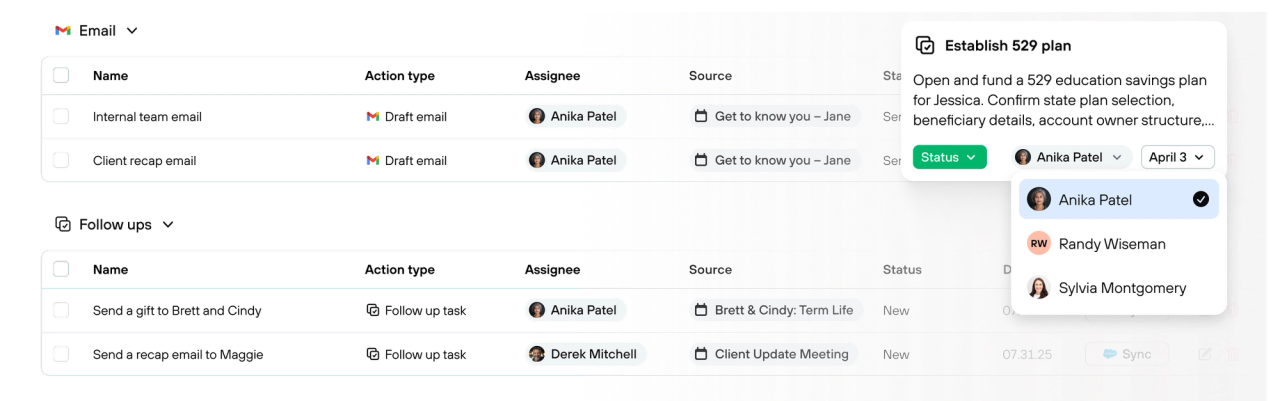
Emails clients actually want to read.
Jump's recap emails aren't robotic summaries. They're written in the tone and structure you define — whether that's a warm, conversational note or a formal summary with bullet points. Set your style once, adjust by meeting type, and every email feels like something you'd send yourself. Copy it over, open it as a draft in your email client, or send it directly.
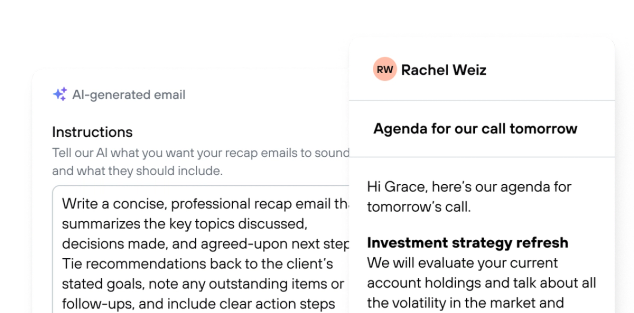
Different meeting, different follow-up.
Jump lets you configure follow-up behavior by meeting type — what the email covers, how tasks are written, which fields get populated, who gets assigned. Build it once per meeting type, and every conversation gets the right follow-through without manual adjustment.