What’s New at Jump — February 2026
February’s release helps you spend less time fixing data and more time moving work forward.
With cleaner CRM updates, smoother mobile performance, and stronger integrations, Jump now gets more right on the first pass—so you can trust what’s logged and focus on what’s next.
Highlights:
- Reduce post-meeting cleanup and data errors with smarter attendee recognition and first-pass CRM accuracy.
- Move from conversation to documentation faster with stronger mobile reliability and deeper system integrations.
- Gain tighter control over compliance and workflows with clearer retention visibility, notification controls, and pre-meeting automation settings.
Enhanced Attendee Recognition and Automatic Contact Selection
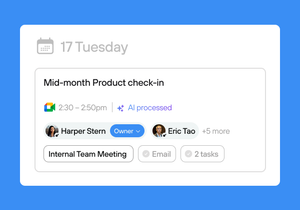
Detect and deduplicate meeting attendees across calendars, conferencing platforms, and transcripts, and automatically link the right CRM contacts. That means cleaner data, better Pre-Meeting Prep, and faster CRM sync with little to no cleanup after the fact. As your firm grows, keeping contacts mapped correctly matters — this helps make sure the right people, notes, and follow-ups stay connected every time.
Mobile App Updates
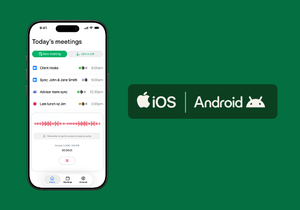
For advisors on the go: Jump is now more consistent and dependable across mobile devices. The refreshed Android experience, clearer integration visibility on iOS, stronger recording alerts, and mobile access to key financial planning automations make it easier to go from conversation to documentation — wherever you are. You can complete core workflows without heading back to your desk.
New and Enhanced Integrations

Your meetings should flow straight into the systems you rely on every day. New and enhanced integrations include:
- Vonage (VoIP): Capture and process more client calls inside Jump. Learn more.
- Advyzon Multiple Assignees: Assign follow-up tasks to multiple teammates before syncing. Learn more.
- Redtail Note Email Notifications: Trigger alerts when notes are saved. Learn more.
- SmartOffice Calendar: Automatically pull meetings into Jump so the notetaker attends. Learn more.
Together, these updates cut down on tab-switching, reduce duplicate entry, and make follow-through easier across the team.
Now in Beta: Jump Embedded Directly in Redtail
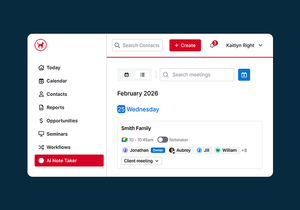
Jump is now embedded directly within Redtail, so you can generate notes, run pre-meeting prep, and sync follow-up tasks without leaving your CRM. Meeting insights and next steps stay connected inside Redtail, helping you work faster and keep workflows consistent across the firm.
Advisors interested in participating in the beta can join now.
Display Meeting Data Retention Policy
Non-account owners can now see their firm’s meeting data retention policy directly in User Settings, including what’s stored and when it’s deleted. Clear messaging explains how retention limits affect actions like reprocessing or viewing transcripts, so there are fewer surprises across the team.
More Control Over Email Notifications
Email notification settings are now clearer and more flexible, so you can choose where meeting note requests, shared meetings, and CRM sync updates are sent. That gives advisors and operations teams more control over how important updates show up.
Select Meeting Type Before Meetings Start
You can now select the correct meeting type before a meeting begins, so the right automations run on the first pass. For firms that only get one processing opportunity, this helps prevent errors and avoids unnecessary rework.
Upcoming Webinar
Bring Tax Context Into Every Client Meeting with Jump + Holistiplan
Thursday, March 26, 2026 | 11:00 AM PDT
Join us for a live session on how Holistiplan and Jump bring tax intelligence directly into your meeting workflow. See how key data — income, deductions, marginal rate, and filing status — appears inside Jump to improve prep, documentation, and client conversations, followed by a practical walkthrough and live Q&A.
Get More Out of Jump with Customization Specialists
Jump adapts to how your firm works. Our Customization Specialists help you move beyond the defaults — refining note templates, recap formats, meeting types, automations, and compliance controls so the platform fits your workflow. If you want more consistency across teams or more precision in advisor outputs, this is how you get more value from Jump.